.webp)


PS2 emulator for mobile
AetherSX2 is a free game utility application for mobile devices. It's an emulator app based on the popular classic console from Sony, the PlayStation 2. With it, players will be able to play classic titles on their smartphone or tablet that are as close to the originals and in their native resolutions.
Top Recommended Alternative
Compared to the ePSXe emulator app, AetherSX2 also comes with some modern gaming options and features to make the experience more streamlined and in line with what today's gamers expect. It offers multiple control options, as well as support for various disc image formats.
All-time great
Game emulation allows gamers to experience playing some of the most beloved classic titles ever released with relative ease. The discussion wouldn't be complete without mentioning the greatest and best-selling one of them all, and it is Sony's PlayStation 2 home game console. With the AetherSX2 app, you can experience a piece of history straight from your smartphone or tablet.
Diving straight into it, the AetherSX2 app cycles between OpenGL and Vulkan APIs for your games. Choose between rendering them in their native resolutions or upscaling to 1080p, and you can even enable widescreen mode if you want. For disc image formats, it supports ISO, CHD, and CSO, as well as compatibility with Bluetooth controllers as an alternative game input method.
As is the case with most emulators, you also have the ability to save and load game states at any point, which is great for pick-up and play on the go. You can further customize the experience with per-game configuration as you want. One important thing to take note of is that performance and stability are highly hardware-dependent. The better the specs, the smoother the gameplay.
Essential component
As is the case with most PS2 emulators across both mobile and desktop platforms, the BIOS file is an essential component that you need to have installed to ensure your system will work and perform as it should. Thankfully, AetherSX2 already includes this as part of its add-on offerings for you to grab and install without going through the hassle of searching for it online.
There are multiple BIOS files available and they differ based on specific regions. These regions also coincide with where the games themselves were released, since there are some that are exclusive to certain markets, including Japan, the USA, and Europe. Depending on the game you want to play, you will need to grab the corresponding version where it came out.
Aside from making sure your game runs properly, the BIOS also provides improved compatibility with games. It also lets the emulator tap into the capabilities of your device's hardware and effectively utilize it to achieve the best performance while playing, in addition to making the aforementioned graphical enhancement mentioned above possible.
Installation procedure
Getting started with AetherSX2 can be a bit daunting at first, especially if you’re new to game emulators. However, the installation process is pretty straightforward after following a few key steps. Navigate to the folder where the APK file is located and proceed with installing it, making sure to allow “unknown sources” if you get asked about it, so you won’t encounter problems.
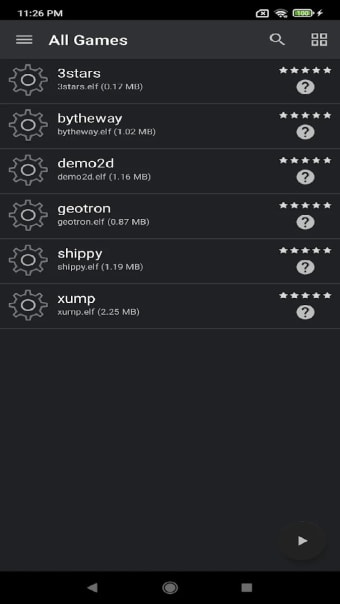
Once done, open the app and tap on the three-dotted menu icon to navigate to App Settings, then Game List, and tap on the Plus Icon to add a BIOS file. Depending on the game you want to play, choose either the USA, Japan, or Europe versions to proceed. Now, it’s just a matter of uploading your games into the emulator, which supports ISO, CHD, or CSO formats.
Go into the BIOS performance settings to tweak various options to ensure everything will run smoothly, as well as minimize lag and slowdowns. You can play in HD resolution, change the aspect ratio, or use a widescreen patch. You can also make adjustments to things like memory allocation, CPU clock speeds, and set priority levels so the emulator has enough processing legroom.
One of the best
If you're into retro gaming and are looking for an emulator specifically for the PlayStation 2, the AetherSX2 is pretty much one of the best options available right now. It's stable, customizable, and offers various gaming options that players will appreciate. Just make sure you have capable devices, and you're golden. This gets an easy recommendation and you should check it out now.